
Unassigned referrals
A new referral can sit without a clearly allocated staff member.
Early prototype for SIL providers
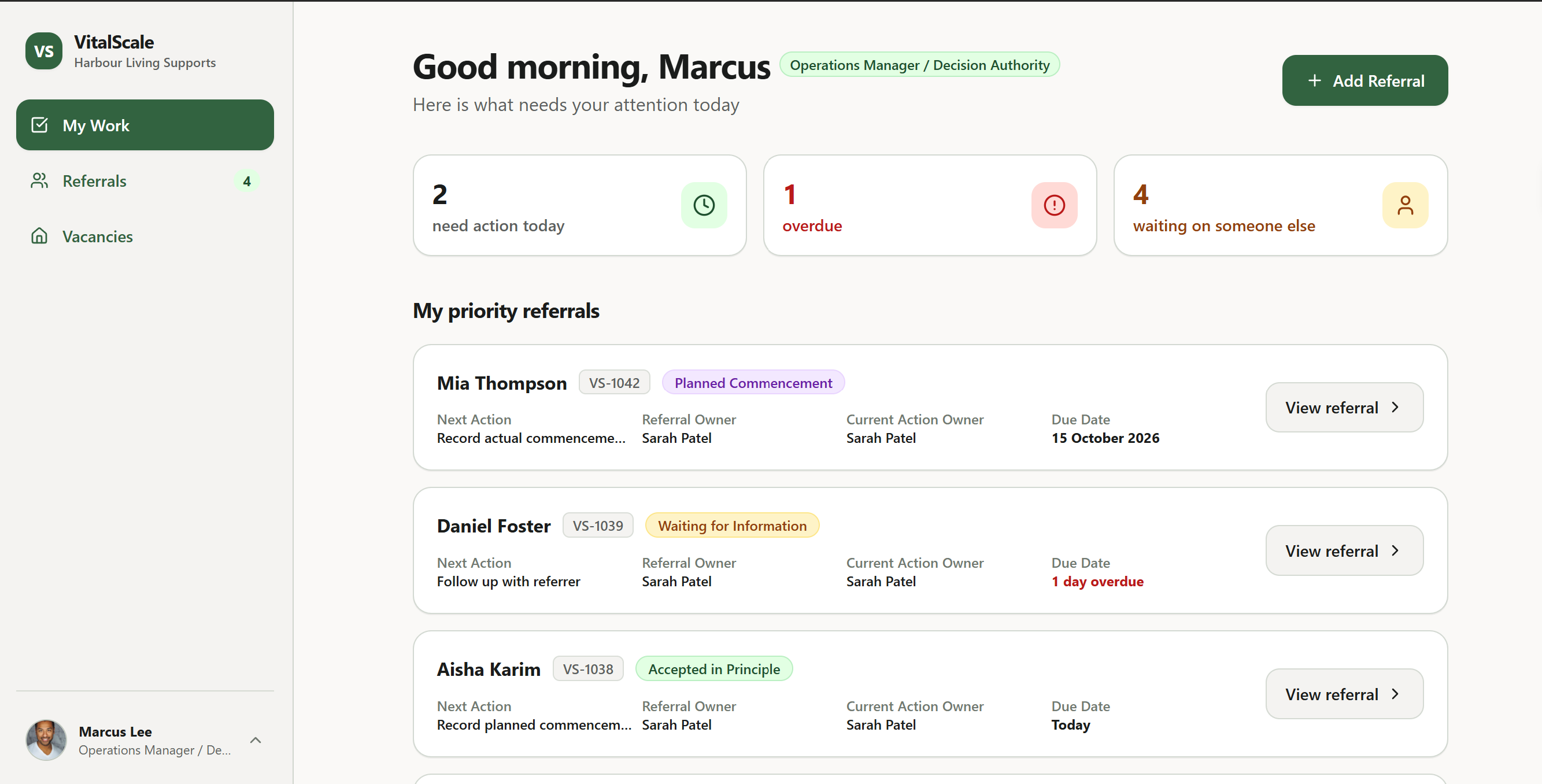
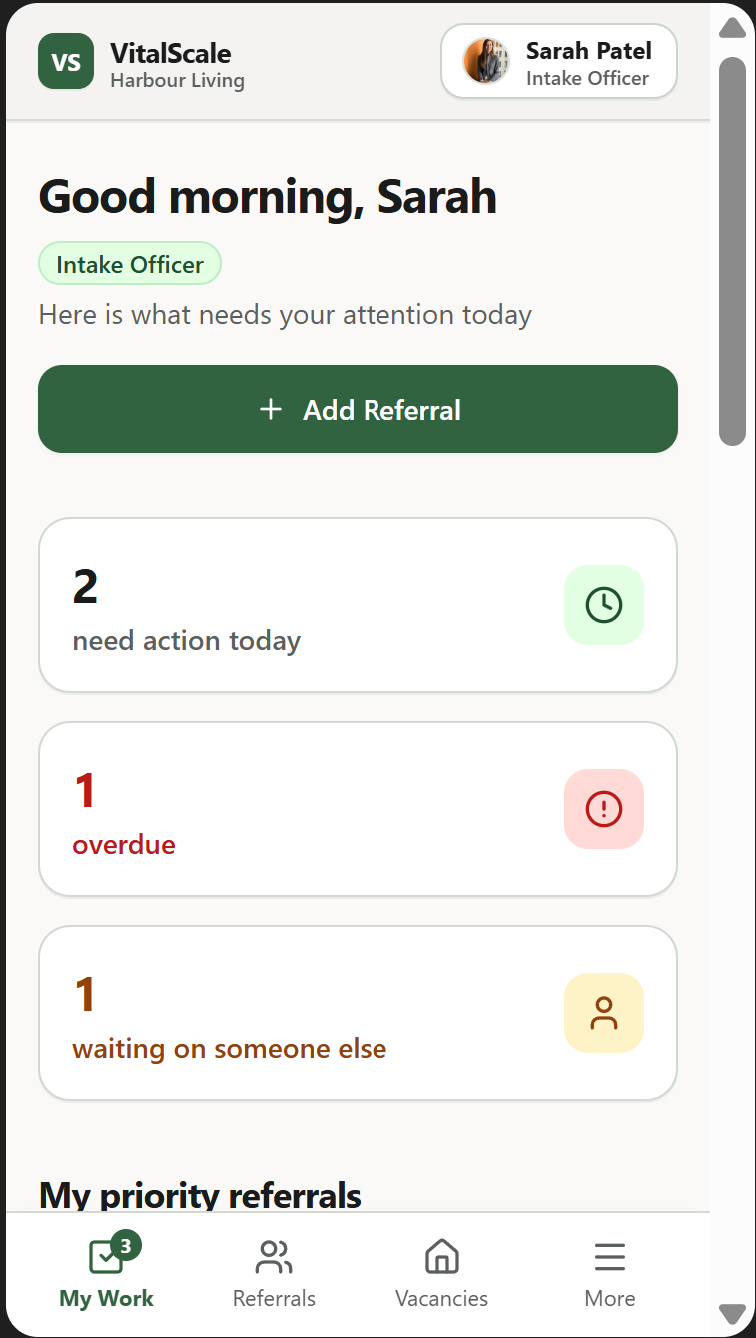
See where every referral is up to, who needs to act next and what is waiting or overdue.
Less chasing. Clearer oversight. More time for the work that matters.
The problem
A referral may begin through an email, a phone call, a website form or a spreadsheet. As it moves between intake, operations and internal reviewers, it can become difficult to see what has happened and what needs to happen next.
A new referral can sit without a clearly allocated staff member.
Intake staff repeatedly follow up for documents, dates and referral details.
Managers have to ask who is handling the referral and what they are waiting for.
A referral can be accepted but remain incomplete before the participant actually commences.
The problem is not always a lack of effort. It is a lack of one visible workflow.
How it helps
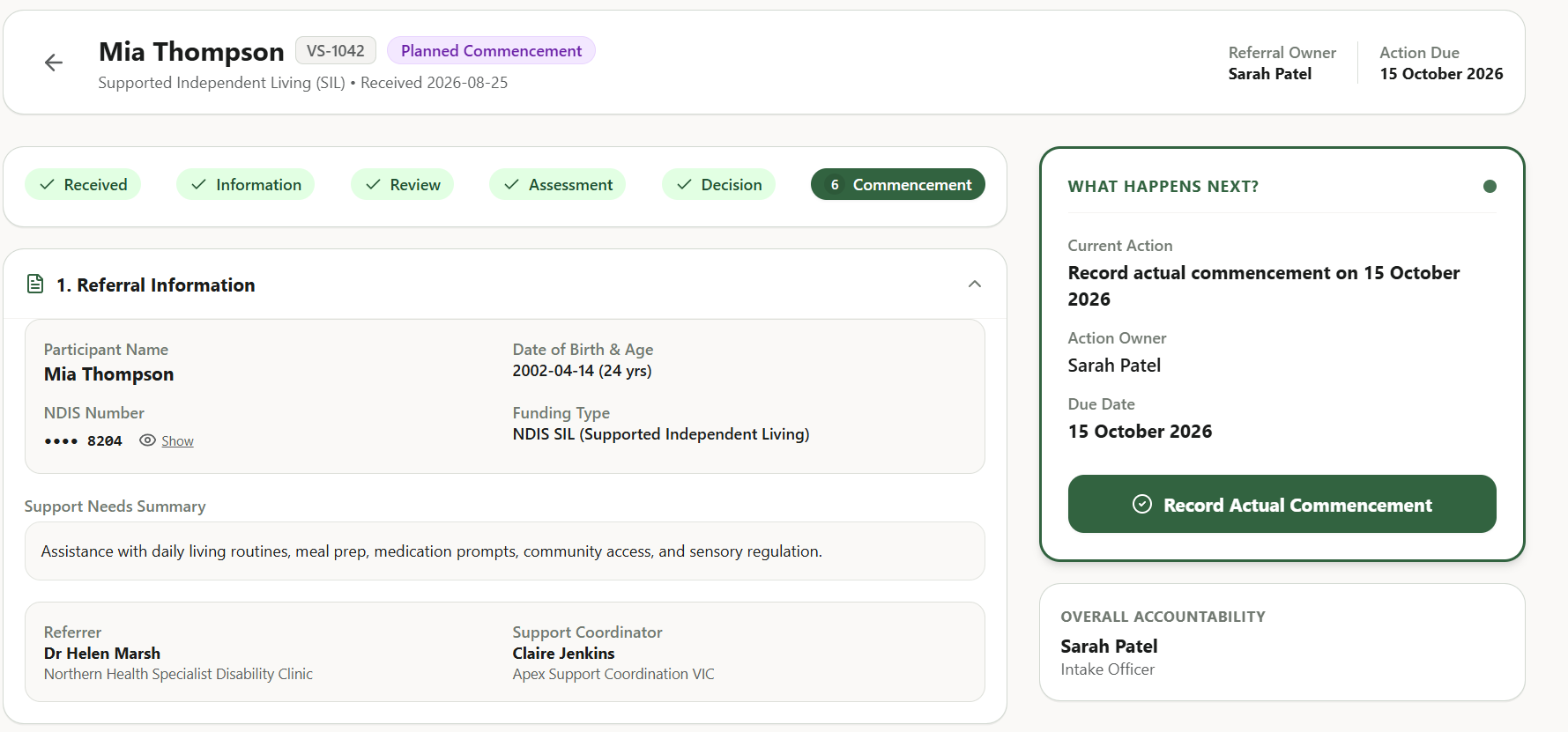
VitalScale Referrals provides a shared workflow from first enquiry through to service commencement. Staff can see the current stage, the next action, who needs to complete it and when it is due.
01
Each active referral has a Referral Owner who remains accountable for coordinating it from beginning to end.
02
The Current Action Owner shows who needs to complete the next task. This can change as the referral moves between staff.
03
See what is waiting, why it is waiting and when follow-up is due.
04
Managers can identify unassigned, overdue or stalled referrals without requesting separate updates from staff.
05
Create a ready-to-share vacancy post using verified public information, review it and open LinkedIn, Facebook or another social channel to share.
SEE VACANCY SHARINGReferral Owner: the person accountable for coordinating the referral from beginning to end.
Current Action Owner: the person responsible for completing the next task. This changes as work moves between staff.
The referral journey
The exact process can be configured for each provider, while keeping the main stages easy to follow.
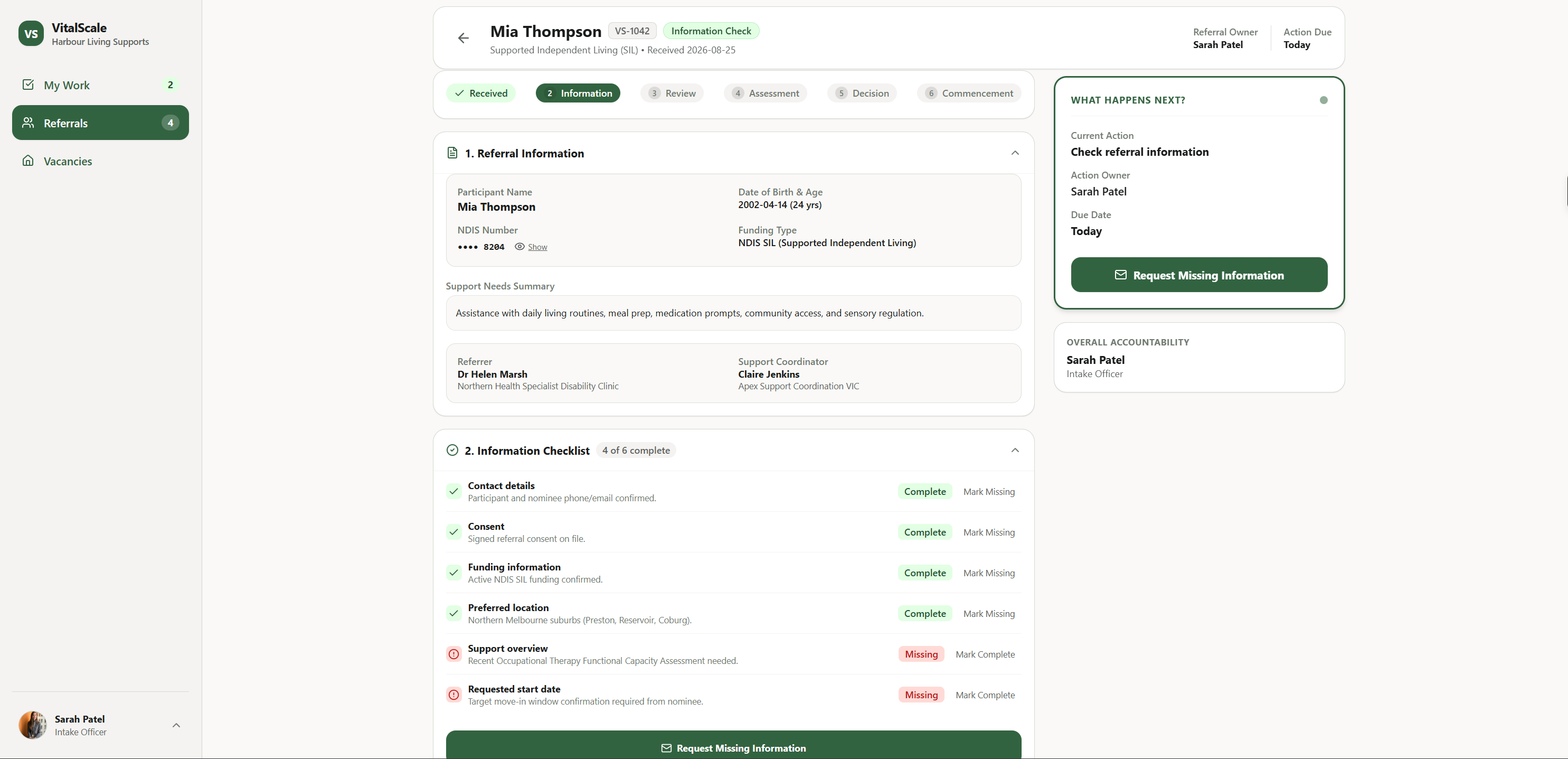
At every active stage, staff can see the referral status, the next action, who needs to act and the due date.
Less manual follow-up
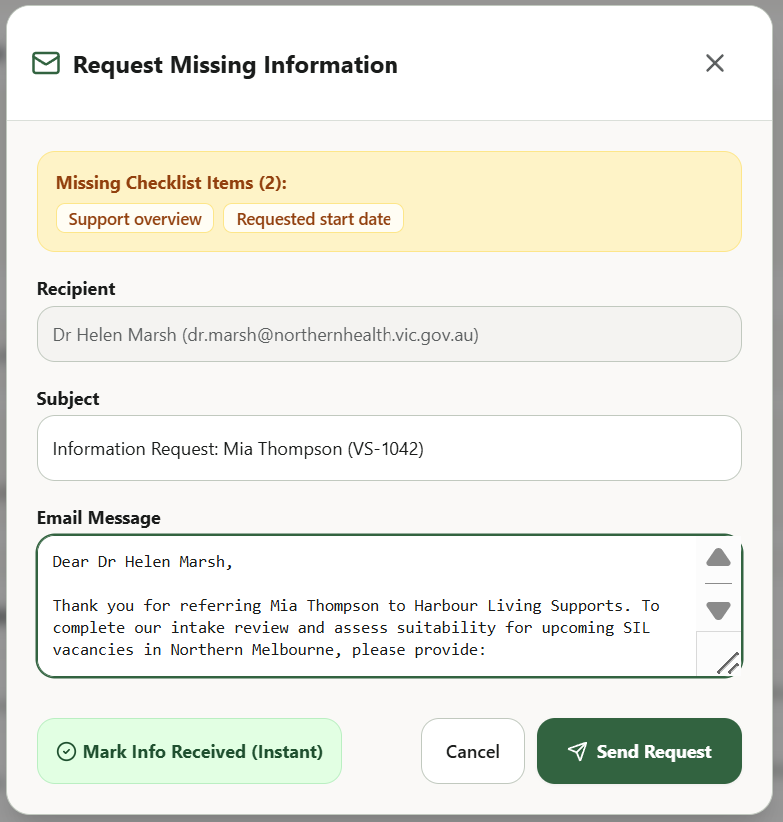
Intake can check referral information, identify missing items and prepare one clear request for the referrer. The request remains editable and requires staff review before it is sent.
External communication remains subject to staff review and confirmation.
Built for the whole referral team
Sees new and unassigned referrals, allocates the Referral Owner and monitors overdue work.
Checks information, follows up with referrers, coordinates the referral and keeps it moving through the process.
Reviews operational feasibility, requests internal input and records the authorised human decision.
Receives a specific question and provides the relevant operational input without taking over the full referral.
Provider structures differ. Roles and permissions can be configured to match the provider’s operating model.
Vacancy visibility
Choose an available vacancy, prepare the public information and review the post before opening your chosen social channel.
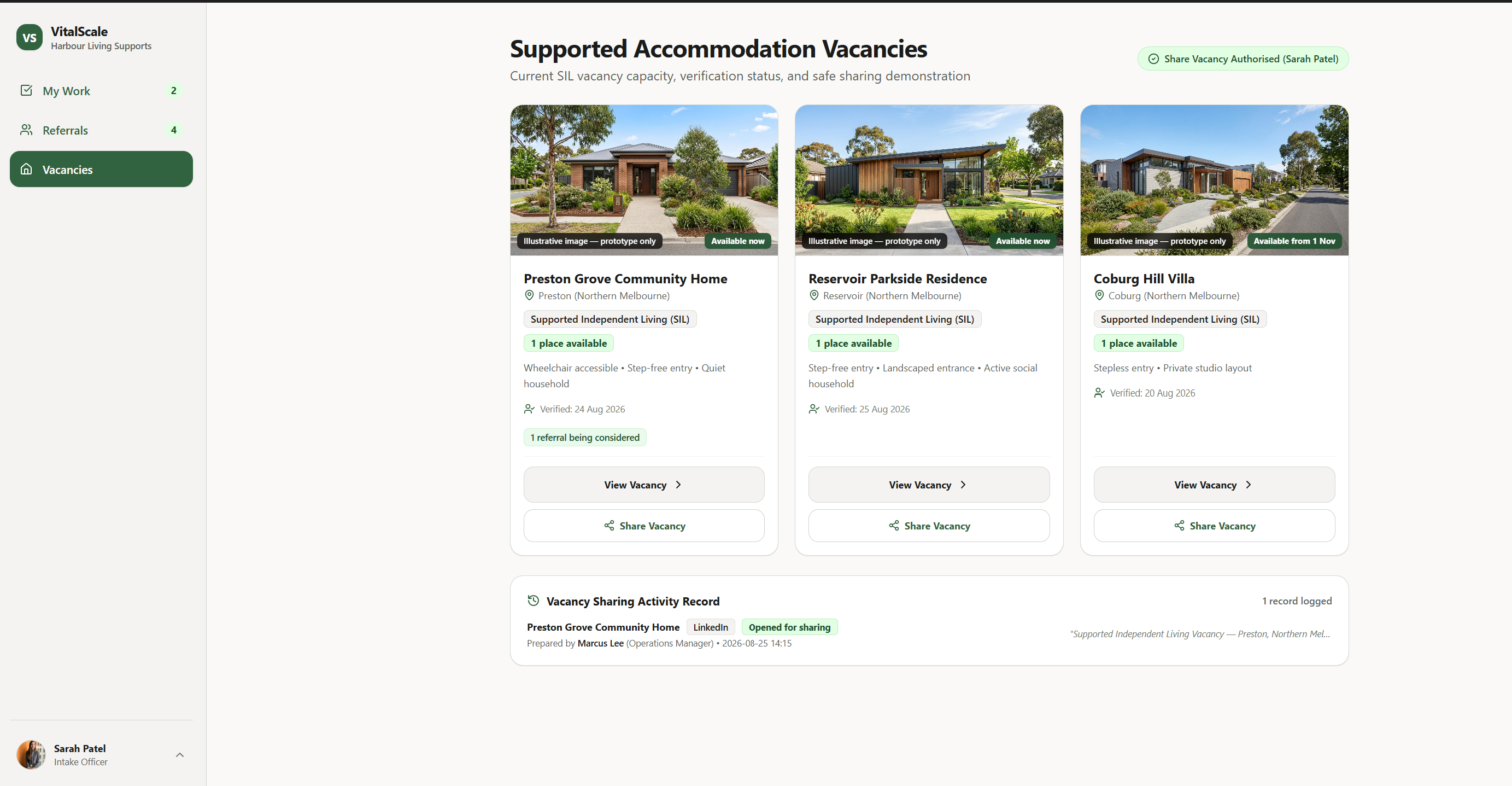
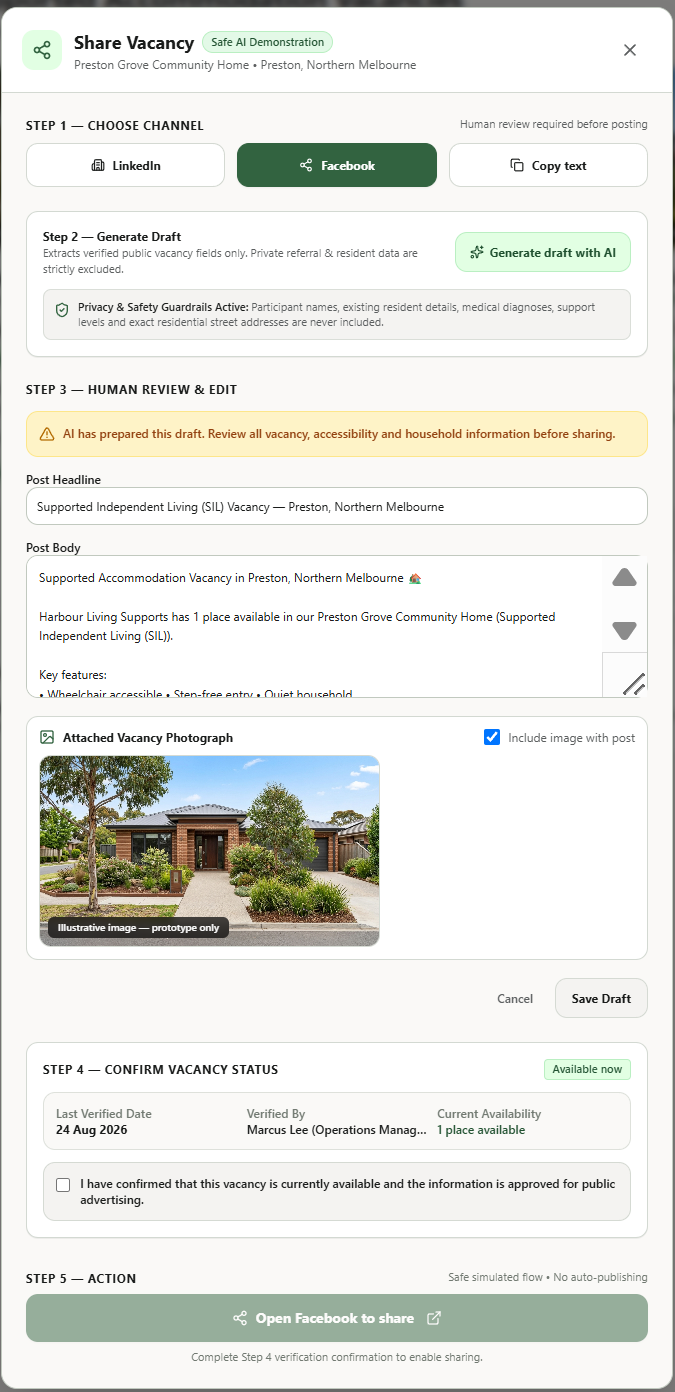
Nothing is posted automatically. An authorised staff member must confirm that the vacancy is current and approve the content before sharing.
Vacancy promotion does not determine participant suitability, compatibility or placement. Those decisions remain subject to participant choice and authorised human review.
Human-led workflow
VitalScale Referrals is designed to coordinate actions, deadlines, communication and handoffs. It does not decide whether a participant is suitable for a home.
Preliminary vacancy options remain subject to participant choice, staff review and authorised human decision-making.
Do not lose visibility after acceptance
An acceptance is not the end of the referral journey. VitalScale Referrals can keep the handoff visible until the transition is complete and the actual commencement date is recorded.
Designed to support your current workflow
VitalScale Referrals is intended to organise the work that happens between first enquiry and commencement. It can be configured to work beside a provider’s existing systems rather than replacing clinical records, rostering, billing or care documentation.
Inbound channels
The provider’s existing care or client-management system
The final integration approach depends on the provider’s existing software, available APIs and workflow requirements.
Early prototype
VitalScale Referrals is currently an early prototype created for provider demonstration and consultation. The demonstration uses synthetic information and is intended to help SIL providers review the proposed workflow before the product is fully developed.
Early prototype with an interactive demonstration.
Book a short demo
Book a short demonstration to see the proposed workflow and discuss how referrals are currently managed in your organisation.
Prefer email? Contact Ajay Singh at ajay.singh@vitalscaledigital.com.au